
Onboarding Teachers · HELP-01
Administrator Account Registration and Activation
Create a central account, complete activation, and verify administrator access.
Use this guide to create a central EdTalkies account, activate the identity, obtain administrator access, and confirm that the Admin Portal recognizes the account.
Open central account registration
- Open EdTalkies Administration at
https://admin.edtalkies.com/. - Select Sign in. The portal redirects to EdTalkies Central sign-in.
- On the sign-in page, select Create an account.
- Confirm that the browser opens
account.edtalkies.com/signupbefore entering personal information.
Create the EdTalkies account
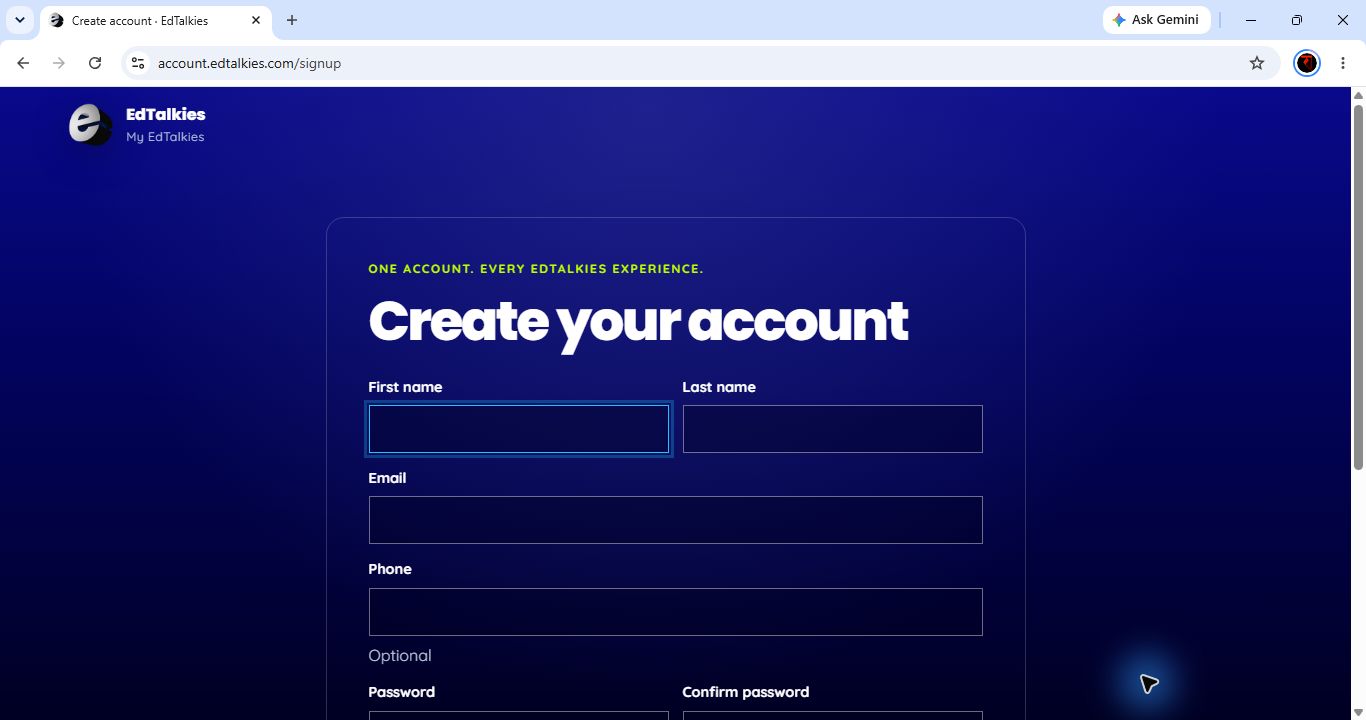
- Enter the administrator's first name and last name.
- Enter the administrator's work email address. This email becomes the central account identity and receives activation or recovery messages.
- Enter a phone number only when required by the organization's onboarding process. The current form marks it as optional.
- Create and confirm the password.
- Review the linked Terms and Conditions, then select I accept the Terms and Conditions.
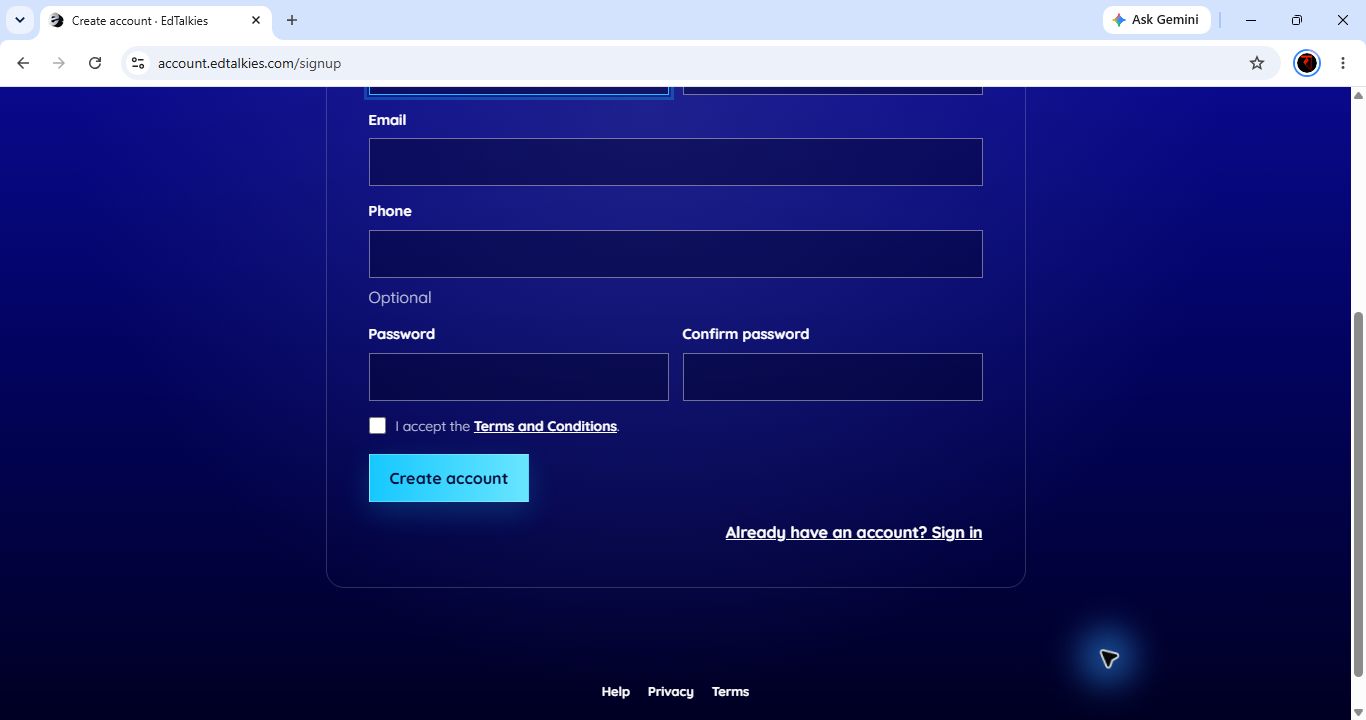
- Select Create account.
Do not use a shared mailbox or another person's email address. Registration creates a central EdTalkies identity; it does not automatically grant an administrator role or subscription membership.
Complete account activation
- Check the registered email inbox for the EdTalkies activation message.
- Open the activation link in the message and complete the confirmation shown by the central account service.
- Return to EdTalkies Central sign-in and sign in with the registered email and password.
- If the activation message is missing or expired, ask an authorized administrator or support representative to verify the account before using an administrative activation action.
Administrator assisted activation
An authorized Platform Admin can activate an eligible unverified User, Learner, or Guest in the same subscription. A SuperAdmin can also assist an eligible unverified Platform Admin or use the global manual-activation workflow. Administrators cannot activate their own account, disabled accounts, accounts scheduled for deletion, or another SuperAdmin through the subscription action.
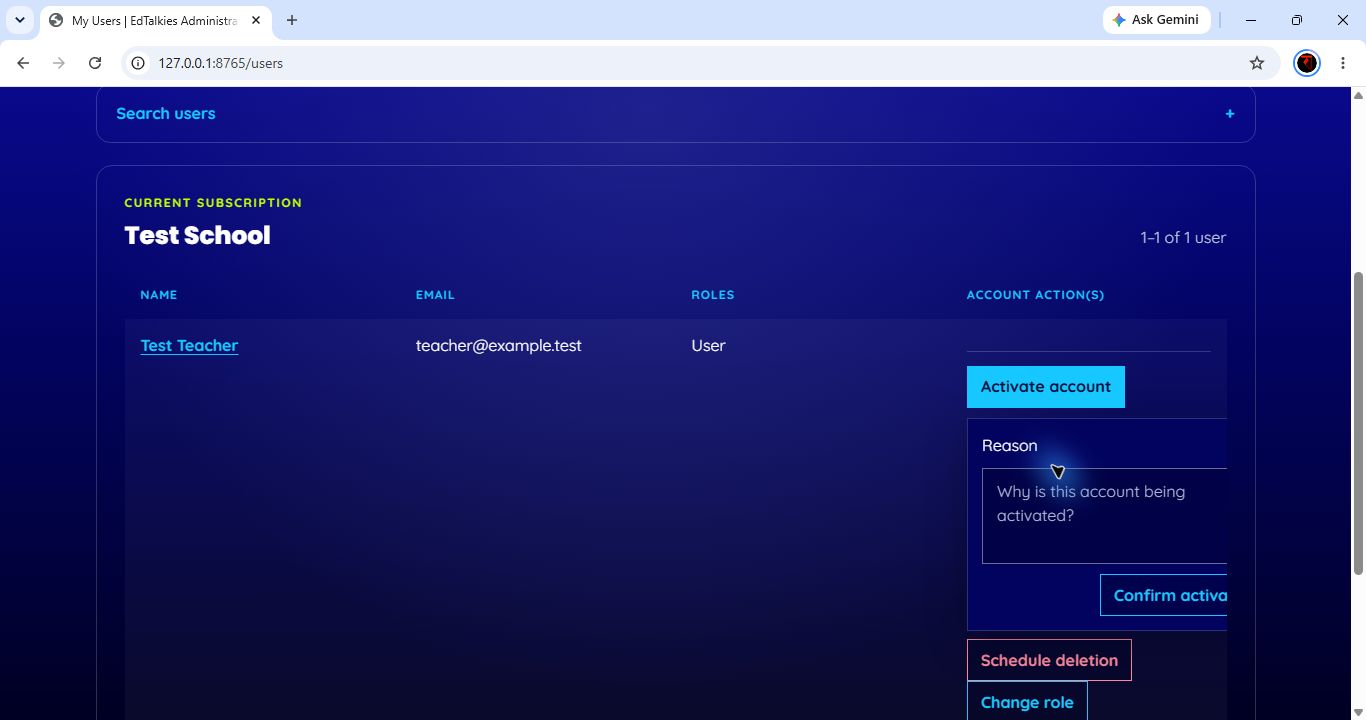
To activate an eligible subscription account:
- Open EIAM > My Users.
- Find the correct account and select Activate account.
- Enter the verified business reason.
- Select Confirm activation.
A SuperAdmin may alternatively open the global user record and use Resend activation email or Manual activation. Manual activation requires a reason and an approval or incident reference.
Assign administrator access
Account registration and activation do not assign an administrator role. An existing authorized administrator must add the account to the correct subscription and assign PlatformAdmin, or an authorized SuperAdmin must grant the appropriate platform access through the approved identity-management process.
Use HELP-02 to assign the role and verify access.
Verify Admin Portal access
- Open EdTalkies Administration at
https://admin.edtalkies.com/and select Sign in. - Sign in with the activated central account.
- Confirm that the correct subscription name appears.
- Confirm that a Platform Admin sees EAIE, EIAM, EDMS, and Logs. A SuperAdmin should also see Global Overview.
- If Access denied appears, verify activation, subscription membership, and role assignment before trying again.