
Onboarding Teachers · HELP-16
Team Membership and Invitation Management
Manage subscription seats, invitations, and active members.
Open Team Management
Team Management is available to Platform Admin and SuperAdmin accounts for an authorized subscription. A SuperAdmin can open it from a subscription detail page by selecting Manage team.
The capacity cards show total, active, reserved, and available seats.
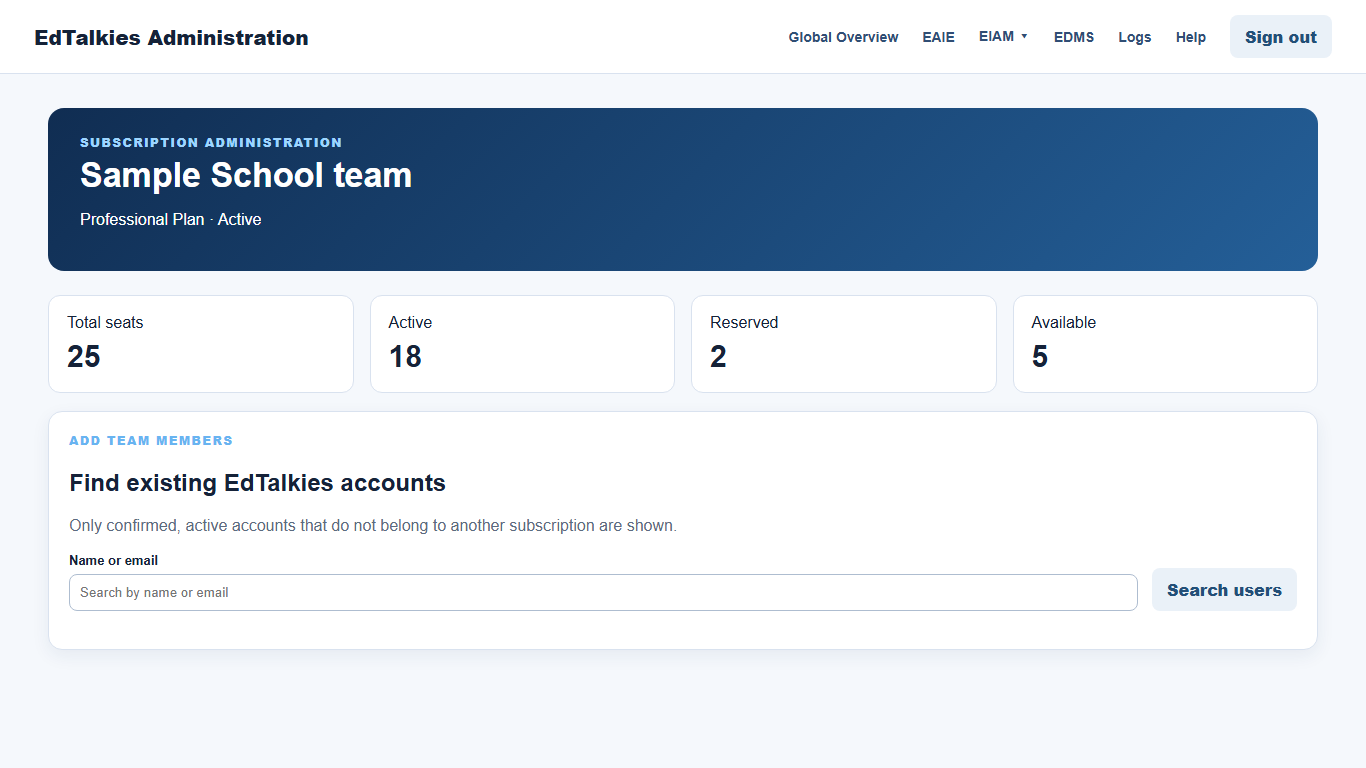
Add existing accounts
- Search by name or email under Find existing EdTalkies accounts.
- Select one or more eligible accounts.
- Leave Require users to accept the invitation before joining selected when acceptance is required.
- Select Add selected users.
Only confirmed, active accounts that do not belong to another subscription are shown. The add action is disabled when no seats are available.
Manage invitations
Use Members and invitations to filter by name, email, or status.
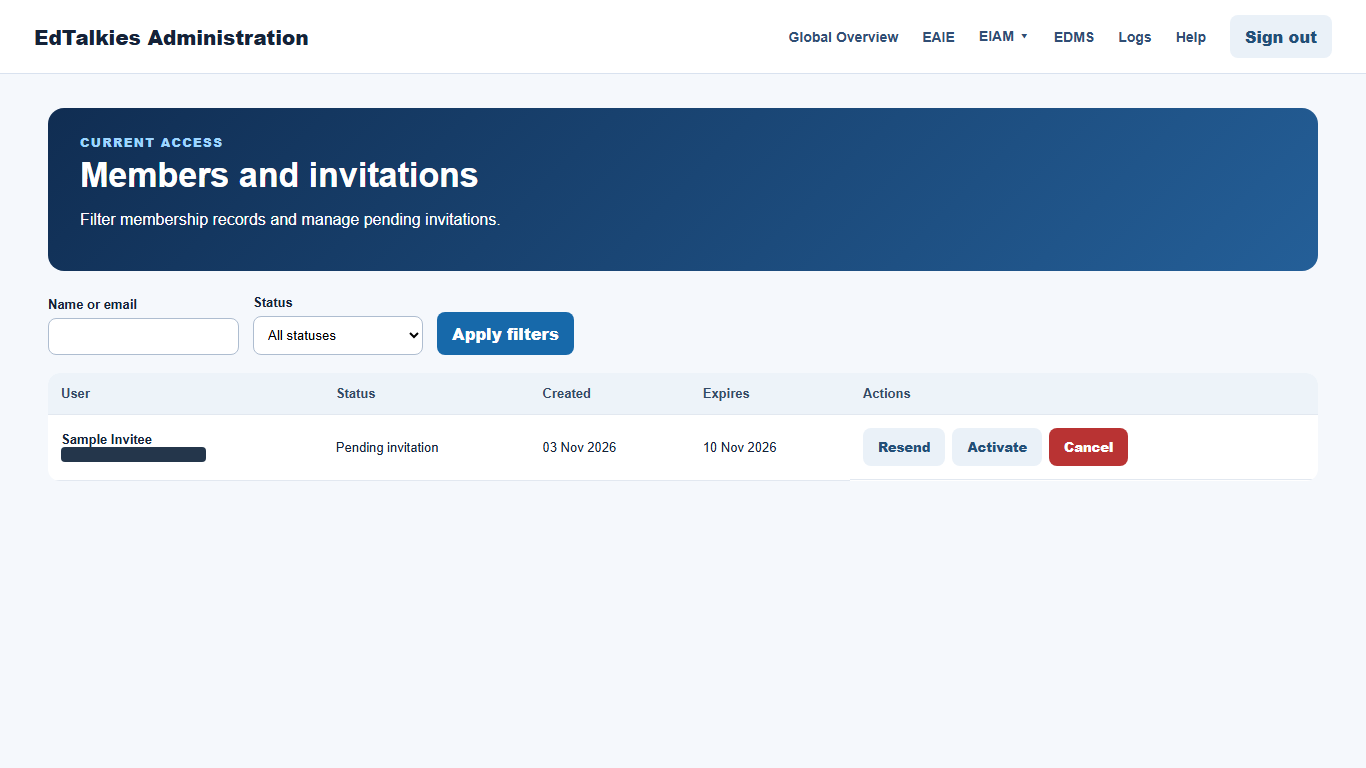
- Resend sends another invitation for a pending record.
- Activate activates a supported pending invitation.
- Cancel cancels a pending invitation.
- Remove removes an active member from the subscription.
Review the status and target carefully before taking an action. Removing a member affects subscription access but does not delete the central EdTalkies identity account.