
EAIE · HELP-20
Approving EAIE Documents for Board
Make processed document knowledge available to subscription users.
When approval is available
The Approve action appears after processing reaches ready with 100 percent progress and the document is not already open to all subscription users.
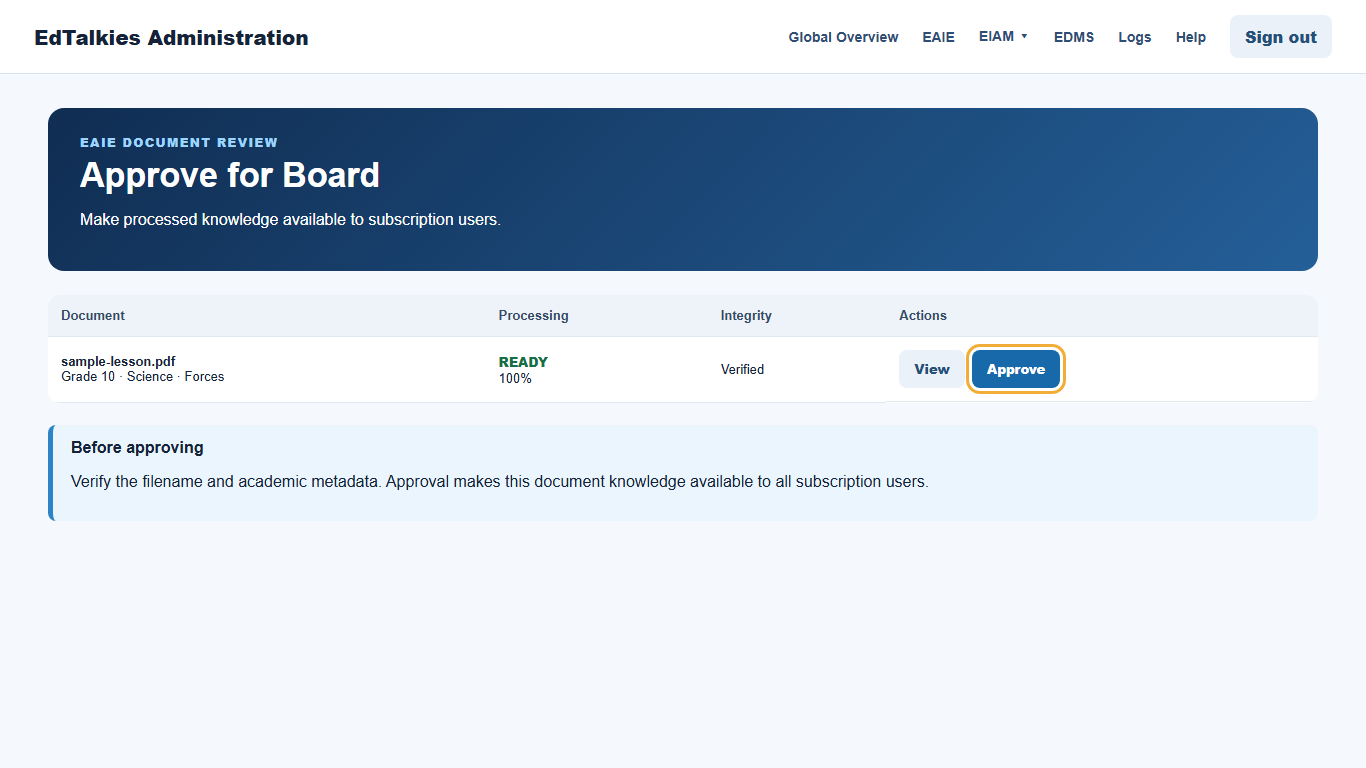
Approve the document
- Verify the filename, curriculum, grade, subject, and topic.
- Confirm the processing and integrity states are acceptable.
- Select Approve.
- Review the confirmation message and continue only when the document should be available to all subscription users.
- Confirm that the action changes to Approved.
Approval controls Board availability; it does not replace document processing. If Approve is absent, check that the document is ready, processing is complete, and it was not enabled for Board during upload.