
EAIE · HELP-11
EAIE Document Management Overview
Choose the feature-specific guide for each academic-document task.
EAIE Document Management is the workspace for academic source documents in the active subscription. It is available to Platform Admin and SuperAdmin accounts.
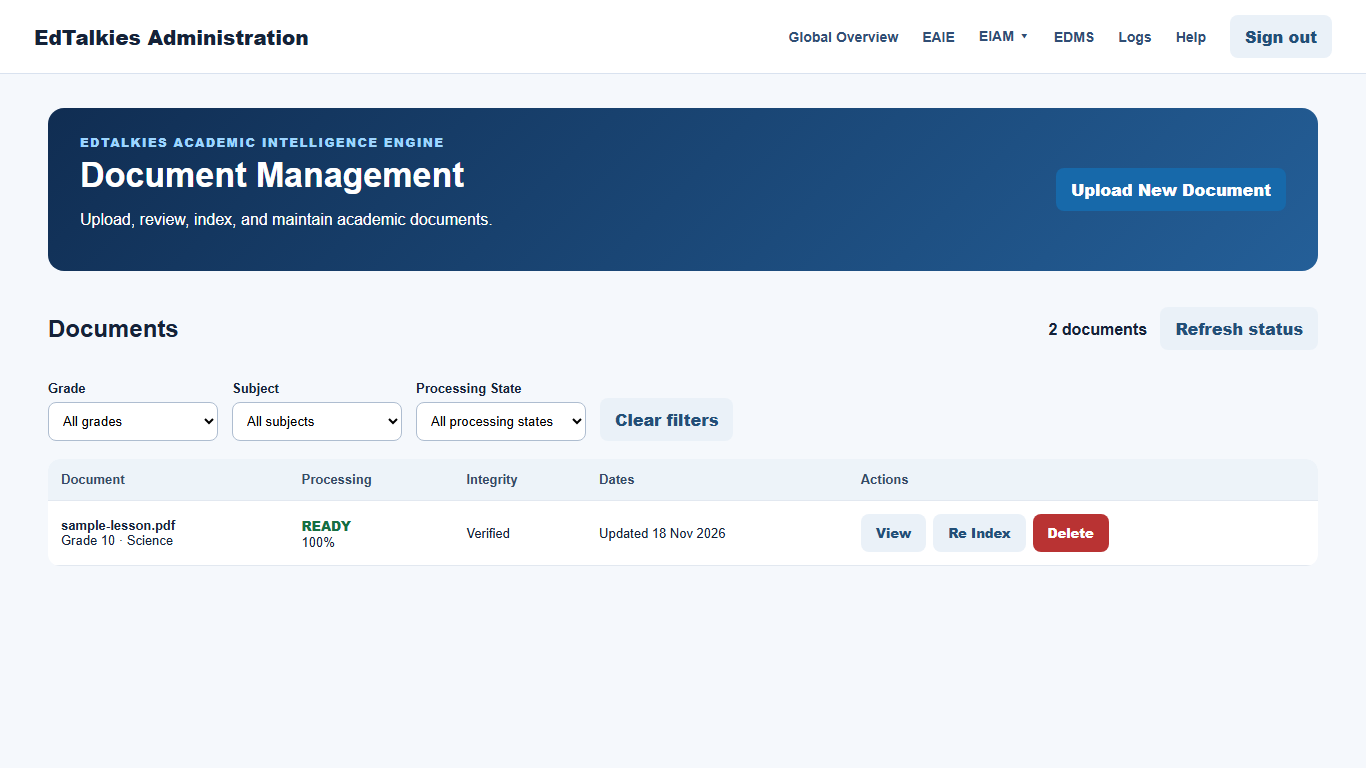
Choose the guide for your task
- HELP-18 Uploading an EAIE Document covers file selection, academic metadata, language, and Board availability.
- HELP-19 Monitoring and Viewing EAIE Documents covers filters, progress, integrity, dates, refresh, and the detail view.
- HELP-20 Approving EAIE Documents for Board explains when approval appears and what it changes.
- HELP-21 Retrying and Re-indexing EAIE Documents explains the capability-gated recovery actions.
- HELP-22 Deleting an EAIE Document explains target verification and permanent removal.
Understand capability-gated actions
EAIE reports the file types, upload size, and maintenance actions it supports. A missing or disabled action usually means the service does not advertise that capability or the document is not in the required state. Check the processing status before troubleshooting the button itself.