
EAIE · HELP-18
Uploading an EAIE Document
Upload a supported source and classify it with academic metadata.
Open the upload form
- Select EAIE in the portal header.
- Select Upload New Document.
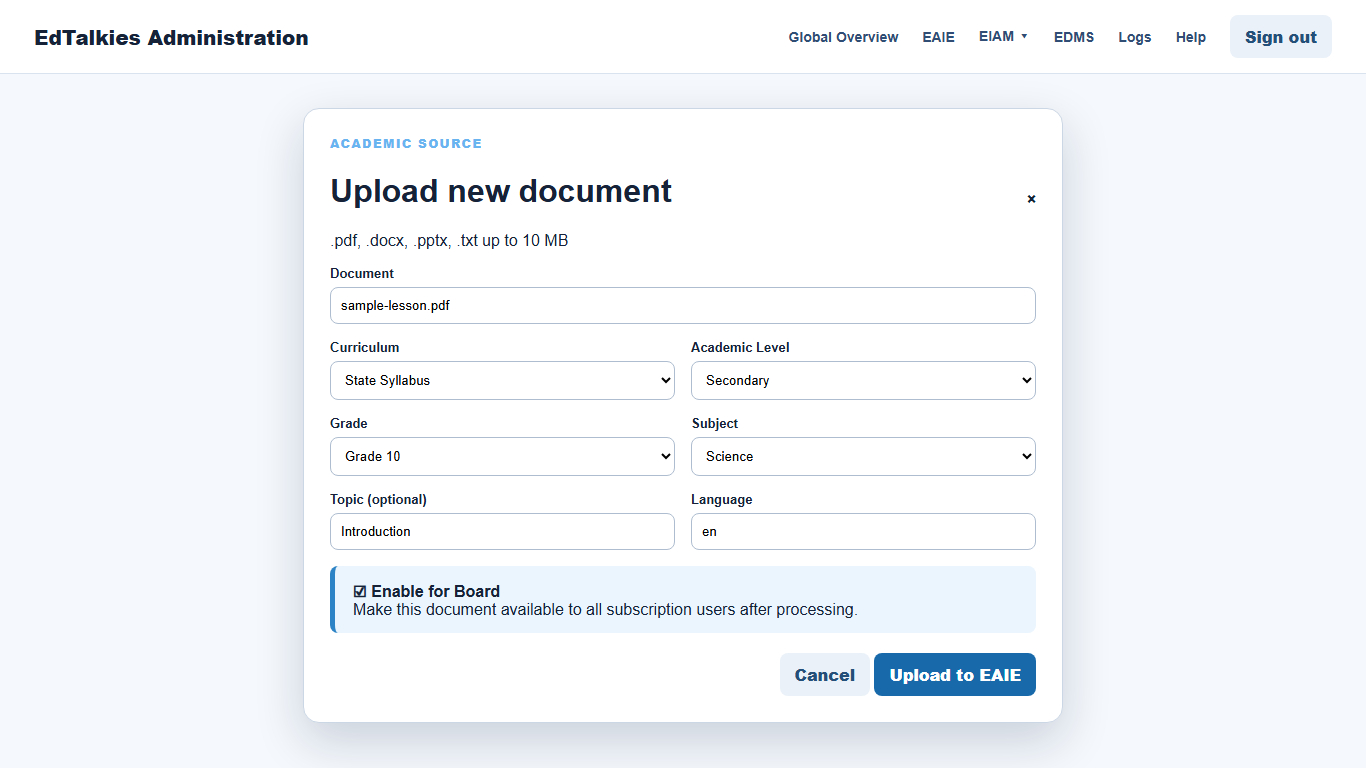
- Confirm that the selected file matches the extensions and maximum size displayed at the top of the form.
Complete the academic metadata
Select the curriculum, academic level, grade, and subject. Add an optional topic and confirm the language code. These values determine how the source is classified and found later.
Leave Enable for Board selected if the document should become available to subscription users after successful processing. Clear it when an administrator must review and approve the processed document first.
Submit and verify
Select Upload to EAIE. The progress indicator shows the browser upload. Wait for the result message, then locate the new row in Documents. Browser upload completion does not mean EAIE indexing is complete; use HELP-19 to monitor processing.