
Onboarding Teachers · HELP-06
Teacher Registration and Activation
Register a central teacher account, activate it, add membership, and verify access.
Register the teacher's central account
A teacher registers through the central EdTalkies account service, not inside the Admin Portal.
- Open the EdTalkies sign-in page and select Create an account, or go to
https://account.edtalkies.com/signup. - Enter the teacher's first name, last name, email address, optional phone number, password, and password confirmation.
- Review and accept the Terms and Conditions.
- Select Create account.
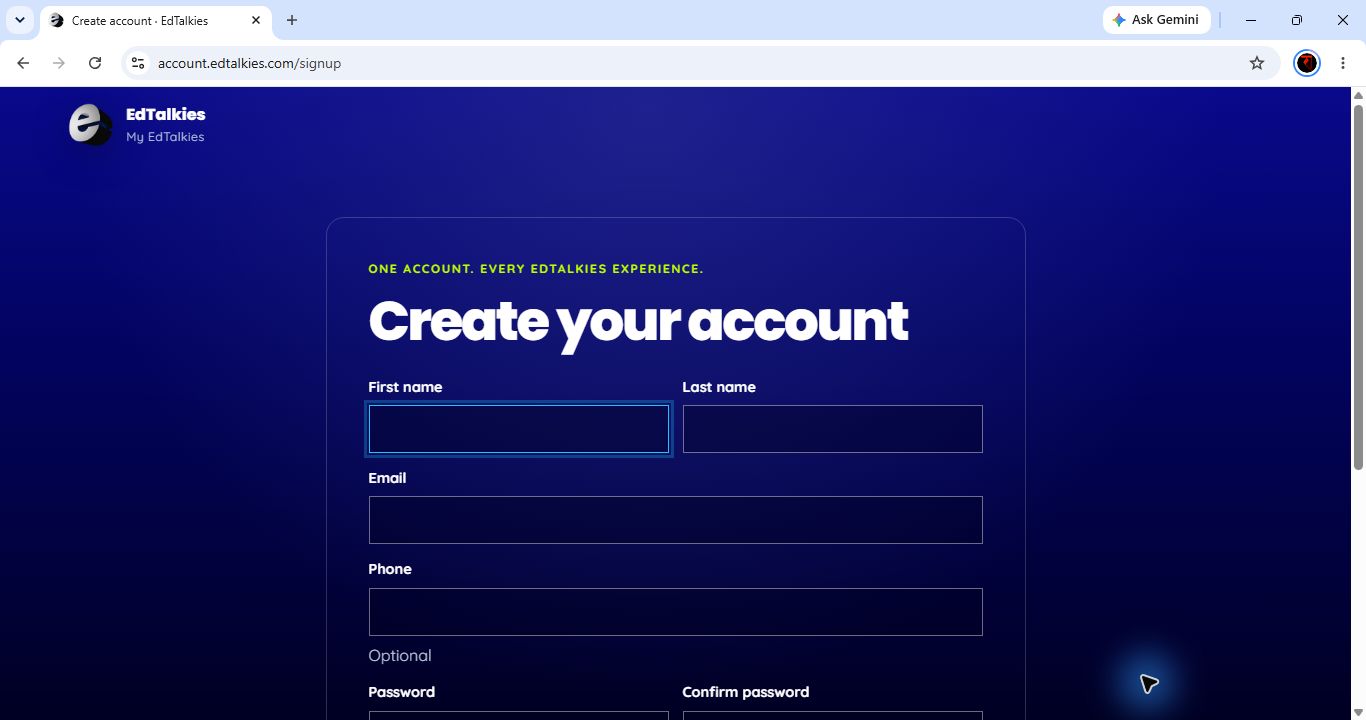
The teacher should use an address they can open immediately. Do not register a shared classroom address as an individual teacher identity.
Complete email activation
- Open the activation message sent by EdTalkies.
- Verify that the message is for the expected account.
- Follow the activation link.
- Return to central sign-in and confirm the account can authenticate.
Registration and email activation create a central identity. They do not automatically add the teacher to a school subscription or assign a subscription role.
Add the activated account to the subscription
In the Admin Portal, open EIAM > External EdTalkies Users, search for the teacher, select Add, and decide whether invitation acceptance is required. The account appears in My Users after the membership is active. See HELP-07 for the full membership workflow.
Administrator-assisted activation
Use this only when the teacher cannot complete normal email activation and the identity has been verified through the organization's approved process.
- Open EIAM > My Users and find the teacher.
- Confirm the account is unverified, enabled, not scheduled for deletion, and belongs to the active subscription.
- Select Activate account.
- Enter the business reason and select Confirm activation.
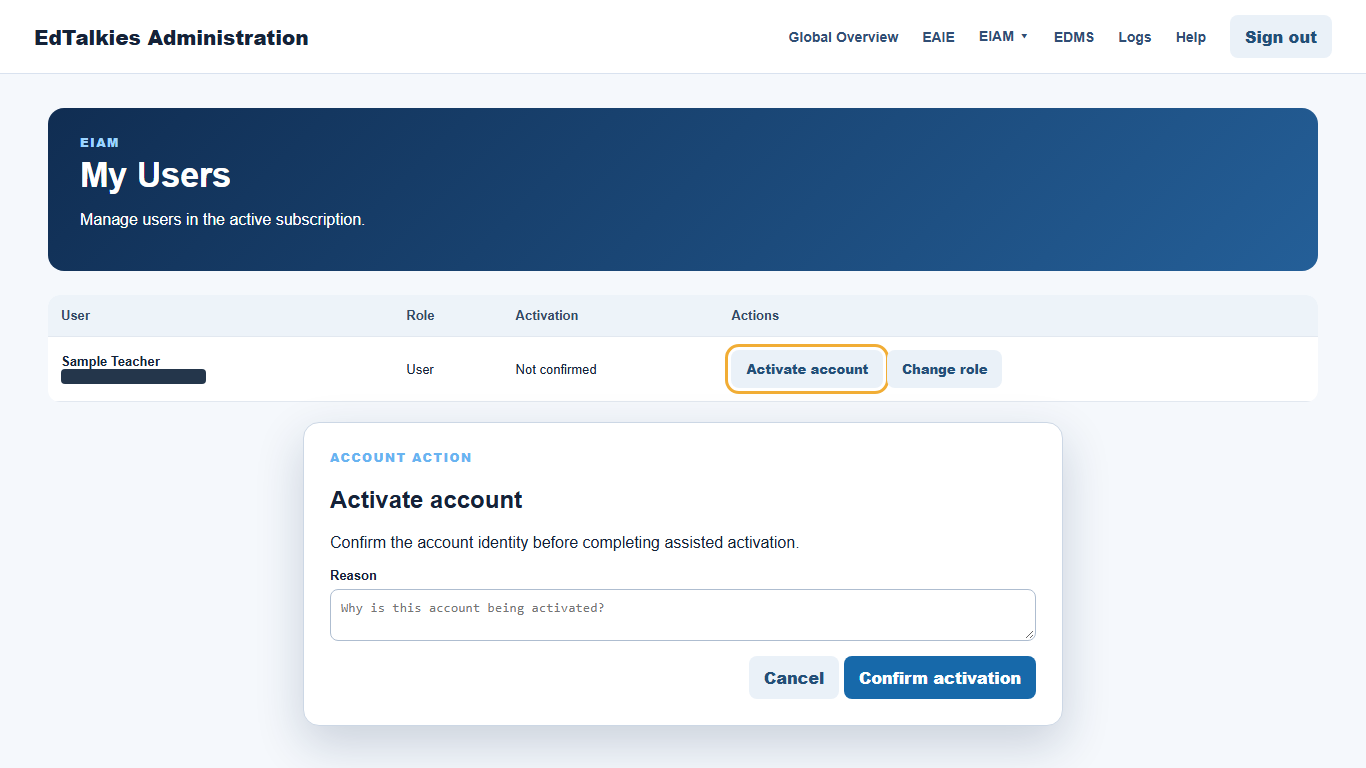
A Platform Admin can activate supported User, Learner, and Guest accounts in the subscription. Administrative self-activation is blocked. A SuperAdmin can activate an eligible external account after identity verification, but must enter both a reason and an approval or incident reference.
Verify teacher access
Ask the teacher to sign in again. Confirm that the intended service opens, the correct subscription is active, and administrator-only navigation is not visible. Role assignment is a separate step and must use one of the roles returned by EIAM; the portal does not guarantee a literal role named Teacher.